Hey,
I’m trying to use Splash for mapping a small dome on a budget, using just two short throw projectors. Works well, even on Windows, managed to get two separate outputs work.
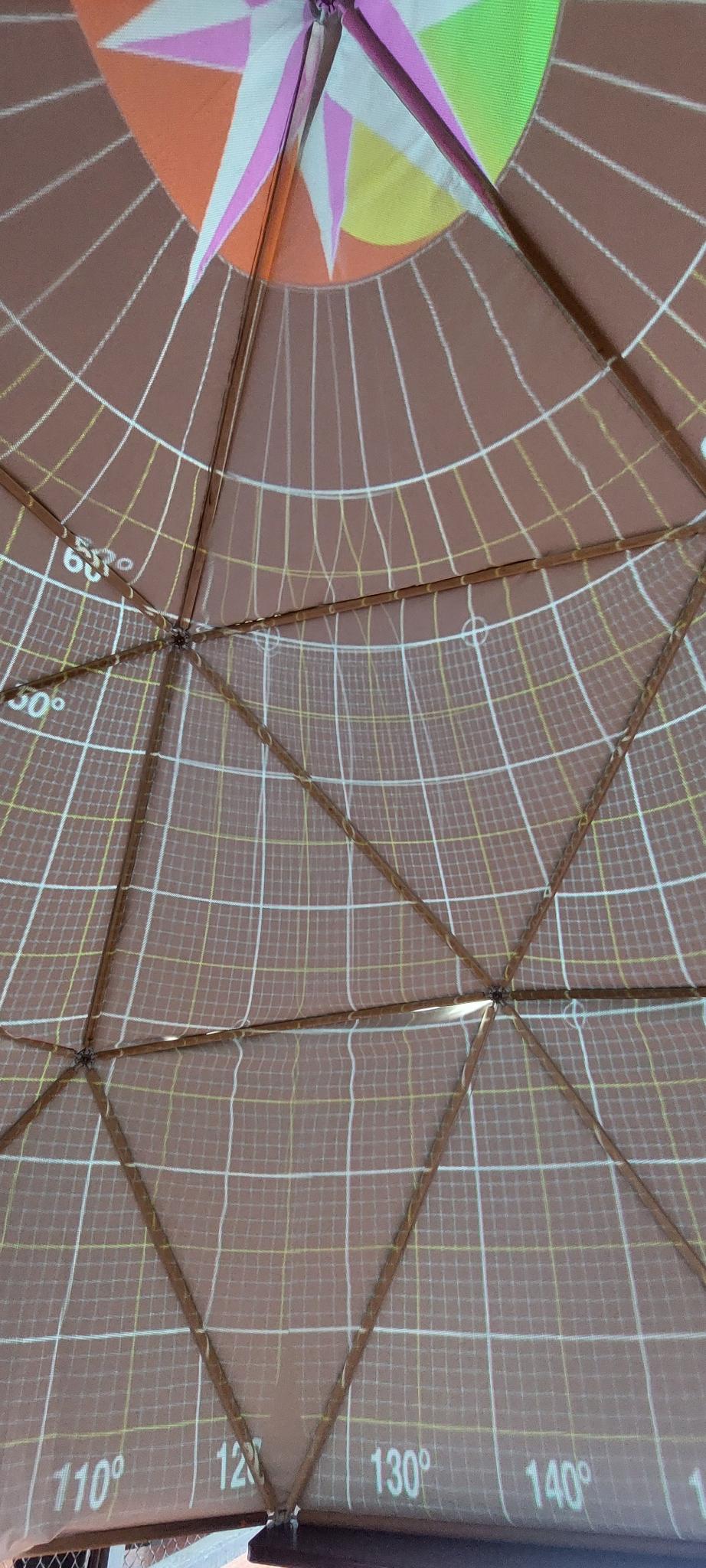
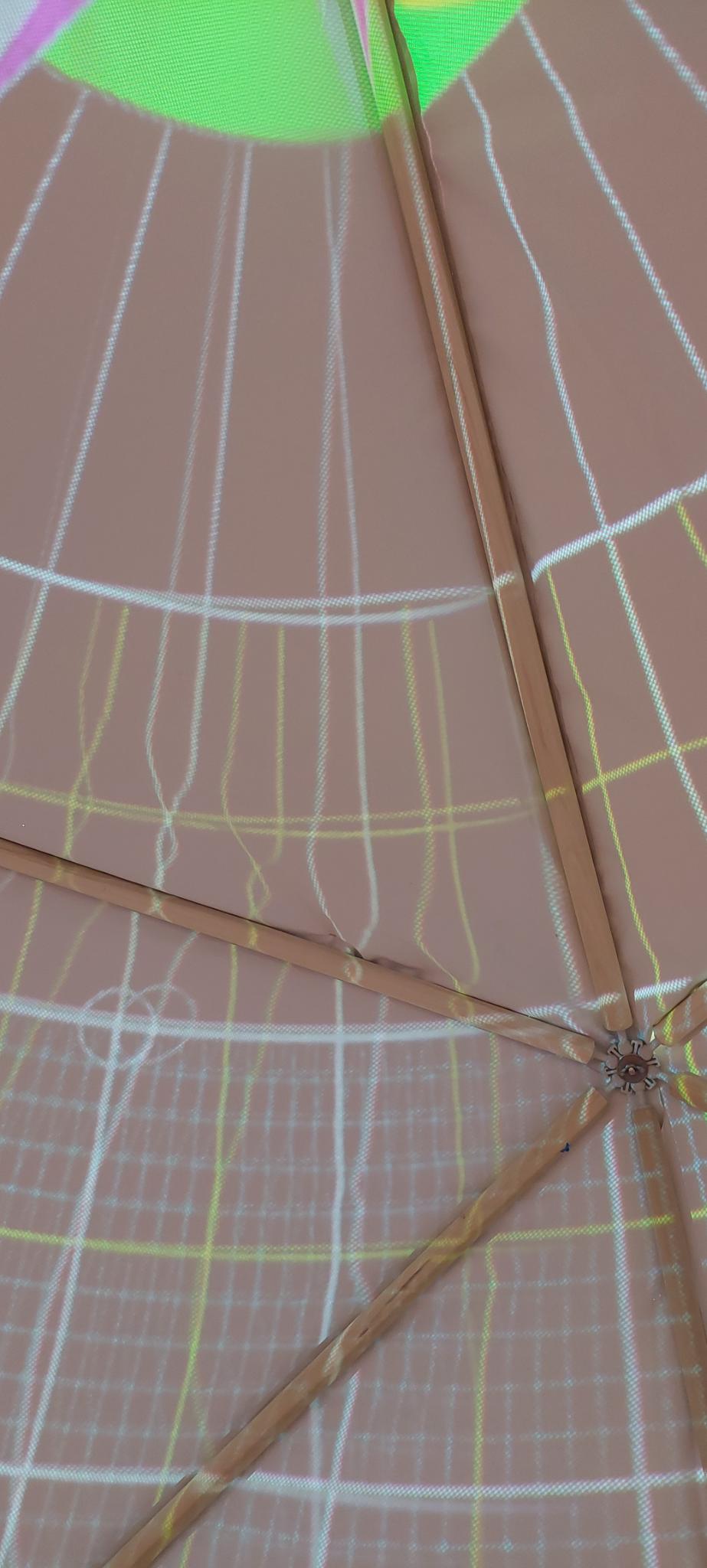
With two projectors and and only 2v frequency of the dome there are unavoidable artifacts where the images meet/overlap. I smoothed some of them with warping but in this situation the 8x8 maximum on warping resolution is limiting.
Is there a way of adjusting the warp to allow higher than 8x8?
Hello @w1d3, and welcome to this forum!
I’m glad that you got Splash running on Windows, thanks for the information. If you see issues which seem specific to Windows, or any other issue, do not hesitate to mention it 
Regarding warping, I did not have any use case for more that 8x8. But I should be able to allow for higher values. What would be a good range in your own experience?
I feel like I would need at least 4 times the resolution (32x32) to achieve considerably better results. But that seems like it would be a hell to move so many points.
So another approach that I have seen in other softwares is to use a multi-layer warp map. For example 8x8 warp layer for coarse warping, and then another layer with higher resolution (16x16) that would be applied on top of the first one to allow for fine warping, only for areas that need it… and possibly another layer for even finer adjustments. In that case you need to move only subset of the control points, which would be manageable. Does it make sense?
This approach is really interesting. In which software did you see this?
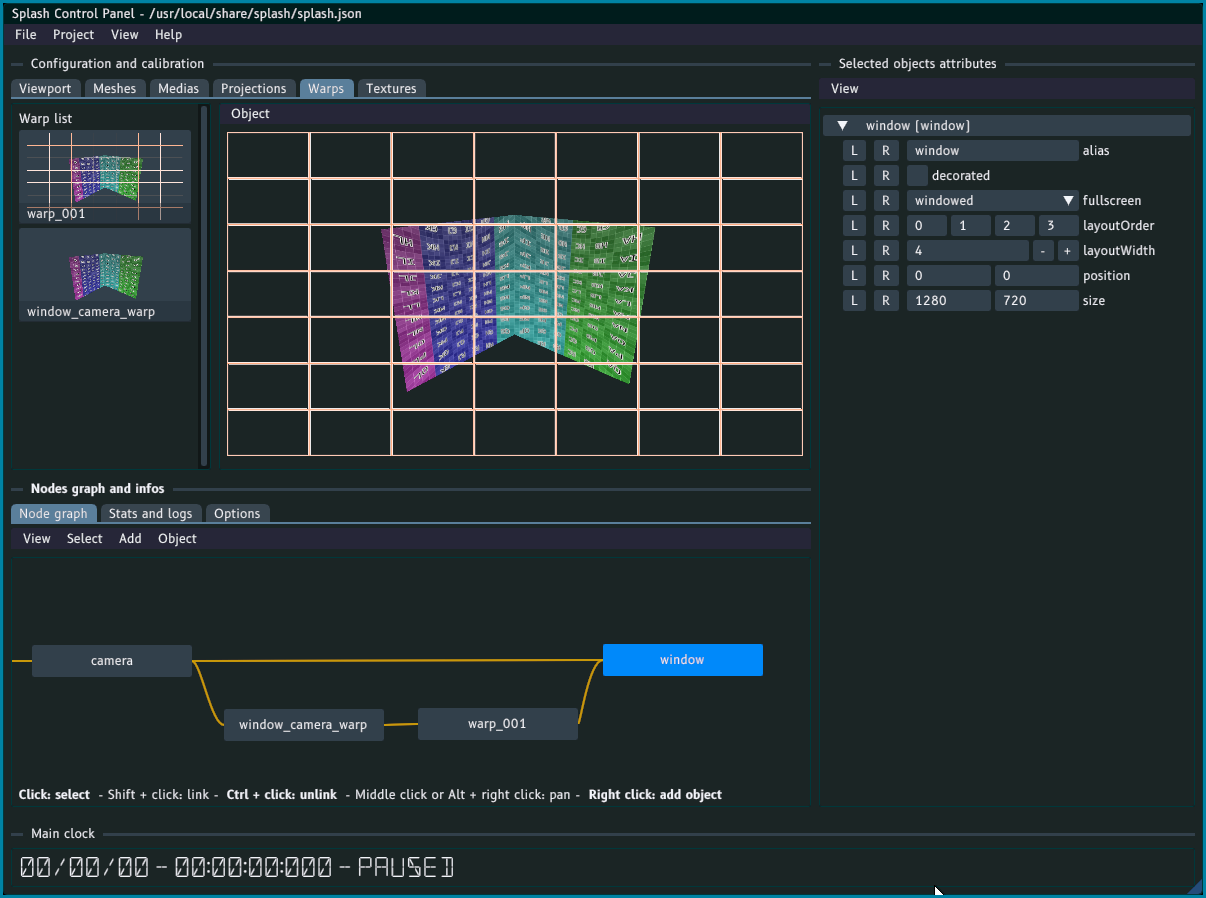
It is not designed for this but you can already do something similar in Splash. For instance, in a project:
- disconnect the object
window_camera_warpfromwindow - create a new
warpobject, either by right-clicking in the graph area or through the menus - connect
window_camera_warpto the newly createwarp_001 - connect
warp_001towindow
You can now set a higher mesh resolution for the warp_001 object, and use both warps together.
I’ll look into allowing for higher values soon. Regarder having multiple warp layers, the best would be for that to be tightly integrated into the warp object, but it will take more time. You can go this the method above anyway.
Tell me how it goes!
Oh nice, I didn’t realize you can chain several warps. Still, the resolution of each is limited to 8x8.
What would also help is if the image under a control point is influenced more by the control point position. If I drag the control point far away from it’s original position in the grid, the influence on the image is very slight - probably averaged with surrounding control points positions. If I need a control point to move one direction and adjacent control point the opposite direction, the adjustments mostly cancel out.
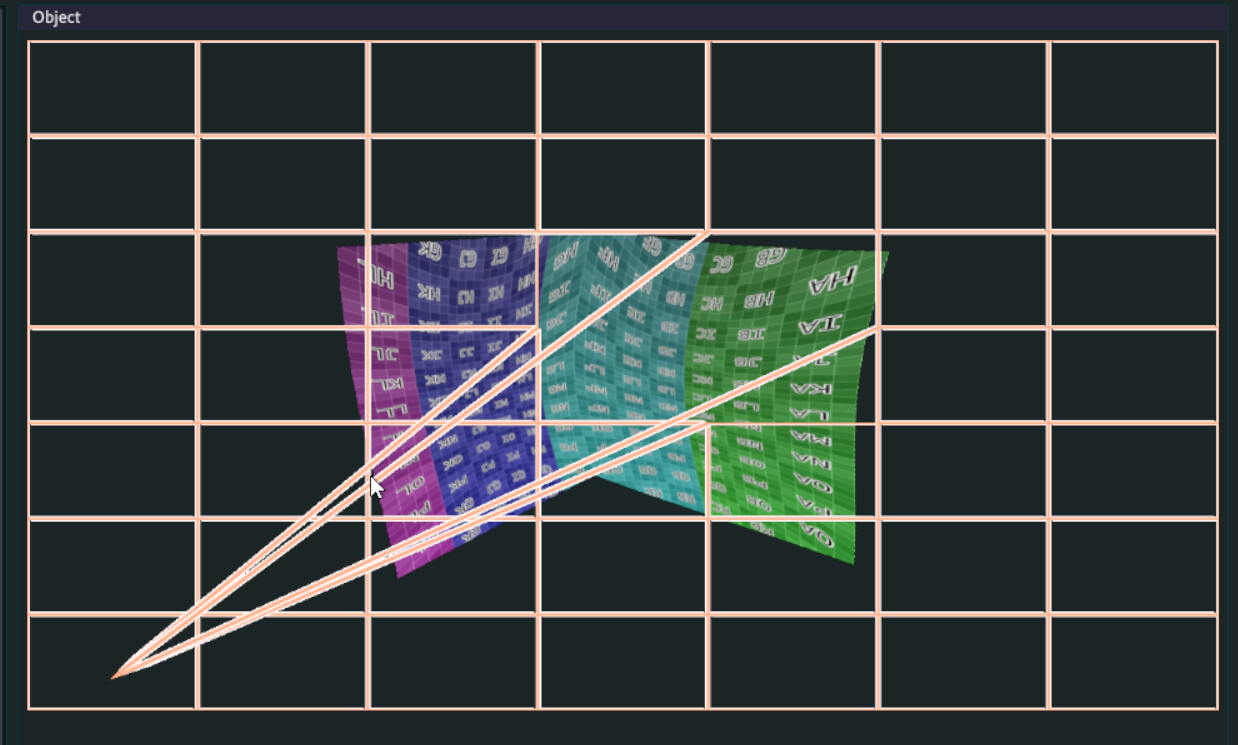
For inspiration, posting screenshot from Ventuz configuration, with several warp groups each having several subdivision layers - this is quite an extreme example.
The point on the image under the control point basically always sticks to the control point.
You can download free trial PLE version if you want to click around.
https://www.ventuz.com/support/help/latest/WarpingSoftEdgingMasking.html?itm=253#TheVentuzShapingEngine
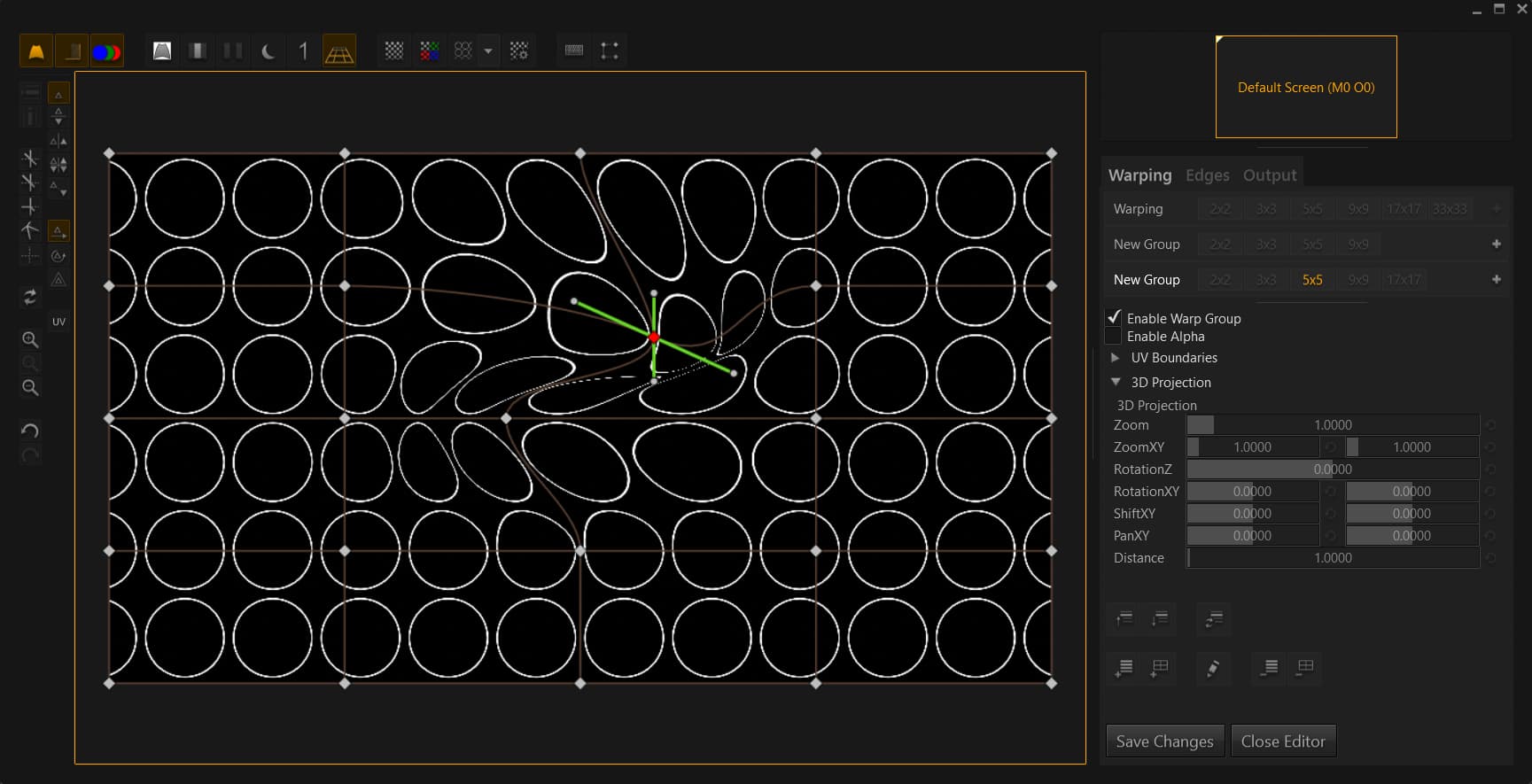
I fixed the warp size limitation in the develop branch, you will now be able to go up to 24. Maximum could be set to a higher value, to be honest I have no idea what a good higher value would be. From your screenshot it seems that dividing each section in 4 might be a good lead though.
As it is in the develop branch, it is not yet released. I built a Windows installer for you to test it, if you will. You can download it here. It should be there for about two weeks, after which it will be deleted (but the release won’t be far by that time).
Regarding the influence of the control points, that’s interesting. From what I can tell Ventuz uses the exact same approach for the warping (a Bezier patch), but used different control points. In Splash the control points correspond to the handles of the green cross in Ventuz (the 4 white points at the end of each branch). It is indeed interesting to use instead the center (in this case) as it matches perfectly a specific point. It’s all a matter of user interface in the end, from what I can tell it should not change anything in the underlying code. I’ll look into it and maybe give choice to the user regarding which mode to use.
Thanks again for all these insights, that is very useful to improve Splash!
Yes, looks like having the choice of how the control points behave would be very beneficial in my specific case, for exact adjustments in small areas. Right now even with higher warp resolution, the movements in opposite directions seem to cancel out as they influence a large area.
Thanks a lot for the special release!
1 Like
At the end I used 16x16 warp grid, any higher number would just be too crazy to manage. Obtained pretty good blend from just two projectors:
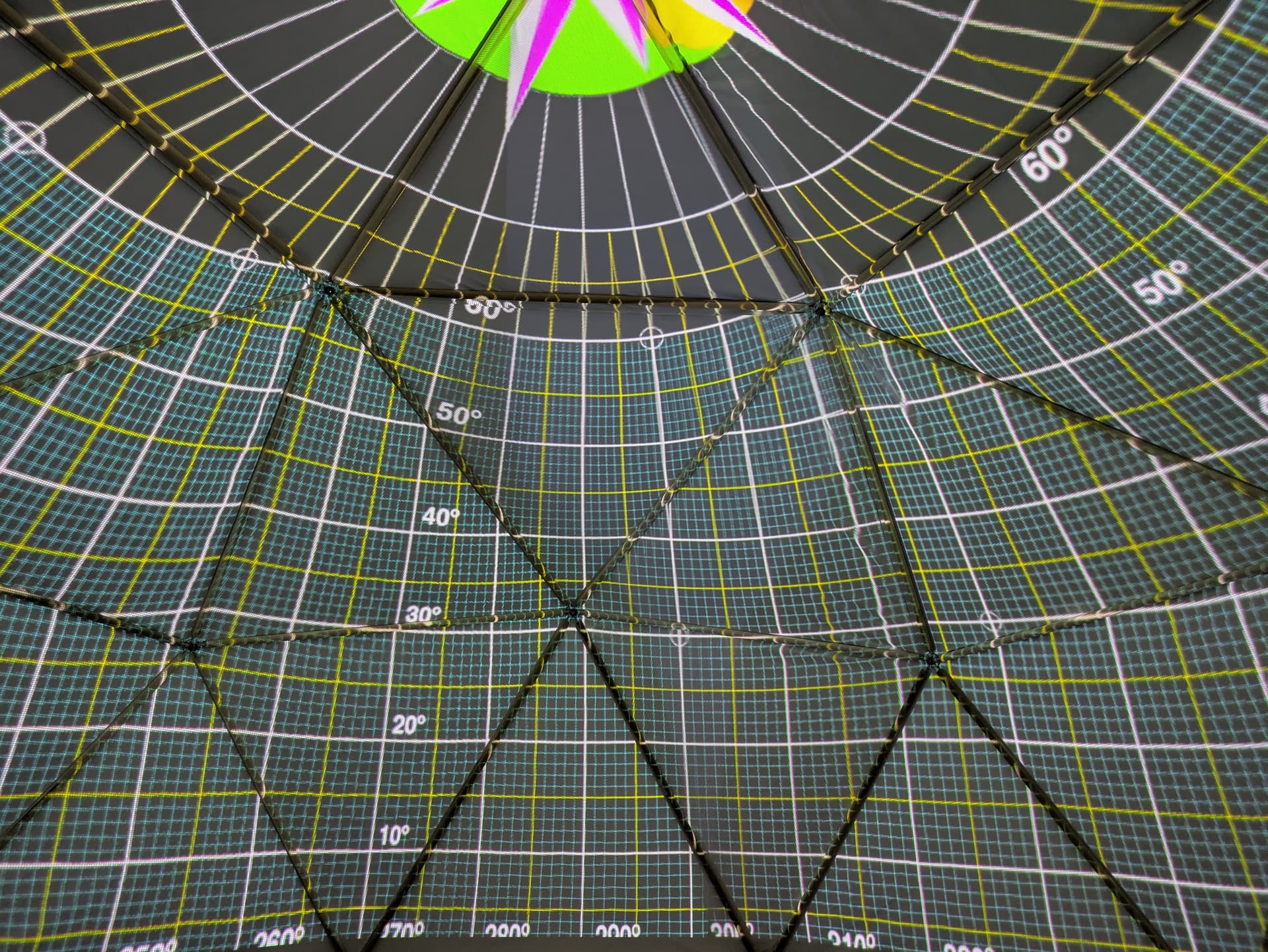
A few notes on the usability of the warping system:
- lines of the grid are quite thick, at 16x16 resolution they obstruct the underlying image quite a lot so it’s harder to navigate
- it would be great if the warping grid can be optionally displayed also on the output
- navigating the control points - Tab and Shift+Tab are good (better than nothing but if there was a way how to change control points using only keyboard (something like Alt+Arrow), it would add to overall usability, especially when moving so many points.
- zooming in the warping window - if the points get moved out of sight, you can’t click on them, only try to “catch” them with Tab key…
- possiblity to select multiple control points and move them together would speed up the process
I’m not complaining, just suggesting improvements after my (limited) experience, hope this will be useful in some way.
Thanks for a great software!
That’s quite clean!
Indeed I had to work on a project last week which involved heavy warping, and I need to put some time into it. I’ll take your remarks into account!
Thanks!