A new version has been released last week, and with it a substantial number of improvements to the user interface. I had a few feedback over the last months and I wanted to apply as many of those as I could.
The overall usage of Splash has not changed, except that it should be easier to navigate now. I did not update the online documentation yet, as I plan on doing other changes in the coming weeks. I want to update the documentation once for as many changes as possible.
First of all, until now only the top section allowed for configuring Splash. The bottom was dedicated to logs and statistics. This has been changed so that the UI now has three sections: on the left, the top and bottom halves hold various tabulations to configure different parts of Splash. A big motivation for that is to prevent have to go back and forth between any tabulation and the node graph, and be able to have the node graph always visible while changing the inputs, outputs and calibration. On the right side there is still the currently editable objects and their attributes, now as a collapsible list.
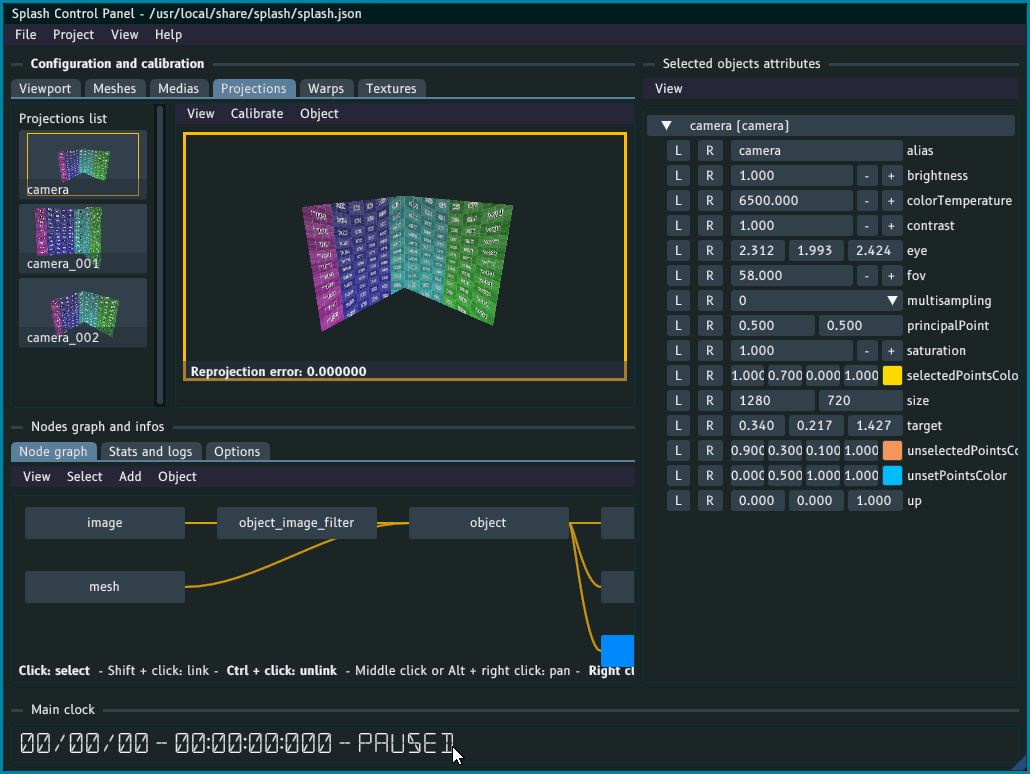
I tried making these sections resizable but did not come with anything satisfactory, so for now everything is fixed. Time will tell if I need to give more control over that. One thing though is that it is possible to switch between a vertical and a horizontal layout, which can be useful depending on the display setup.
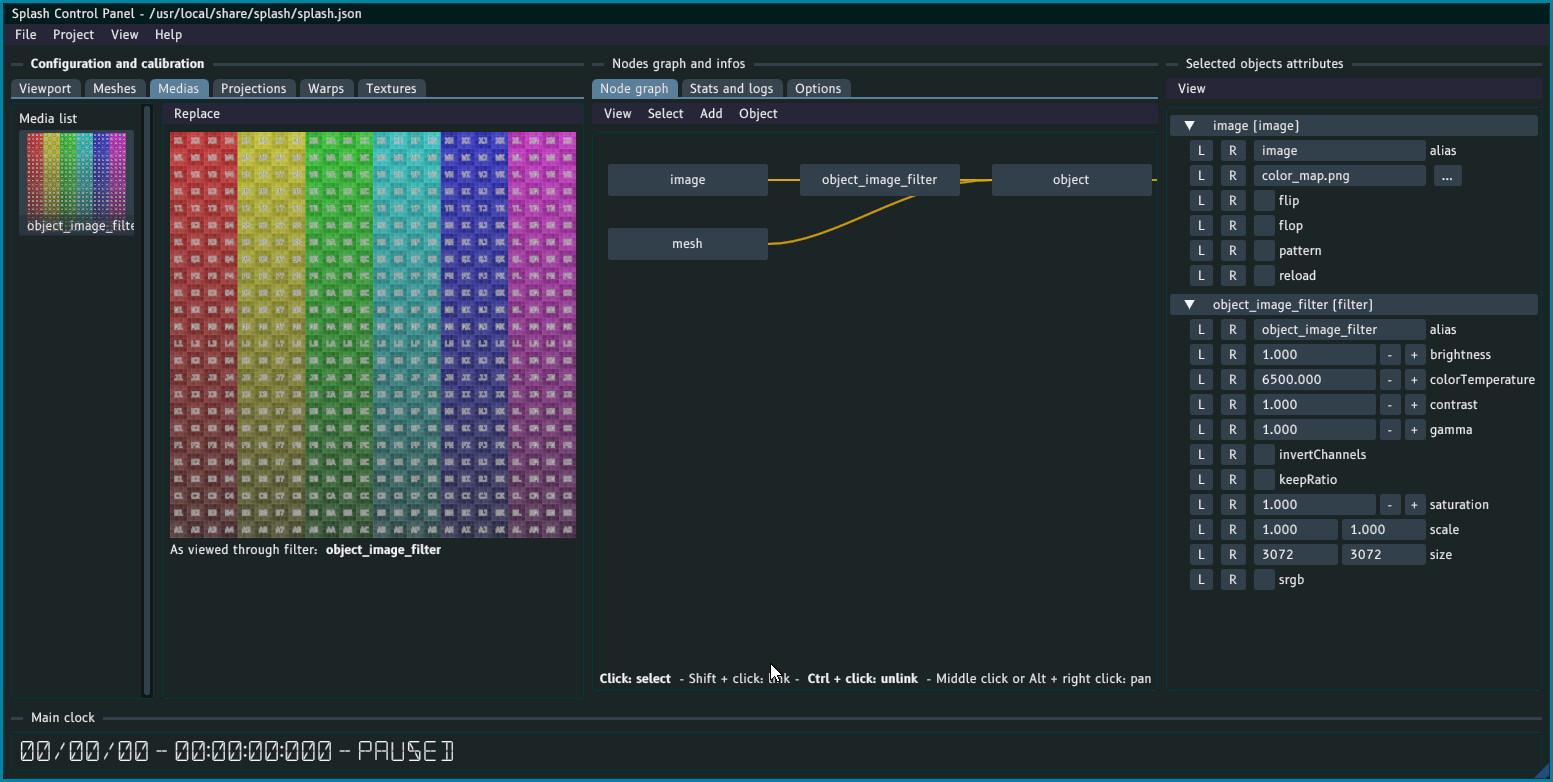
The menu bar for the sections inside the tabulation has been move to be right above the viewport. Previously it was above the viewport and the mesh/media/camera/warp list, which made it not obvious to see. See the Replace menu in the previous screenshot for instance.
You can also see that it is now possible to change the color of the calibration points (first screenshot). Not all colors are clearly visible on all projection surfaces, with this option one should be able to find the right tone!
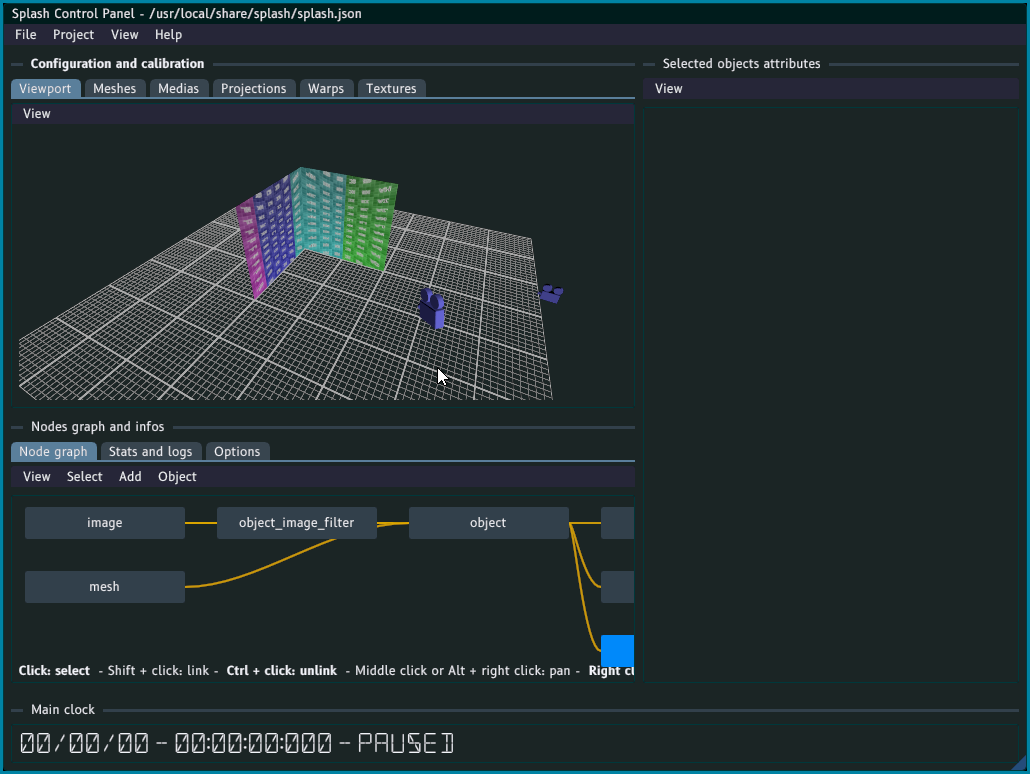
There has been some changes to the Cameras section too. First, it has been renamed to Projections to make it clear that this is where the outputs are configured. Then the Overview camera has been removed. It was meant to have a “global view” of the configuration, and new users were often wondering what this camera was. As a “global view” is still needed I added a Viewport tabulation which does exactly that, but better. It evern has a grid to get a better sense of the setup!
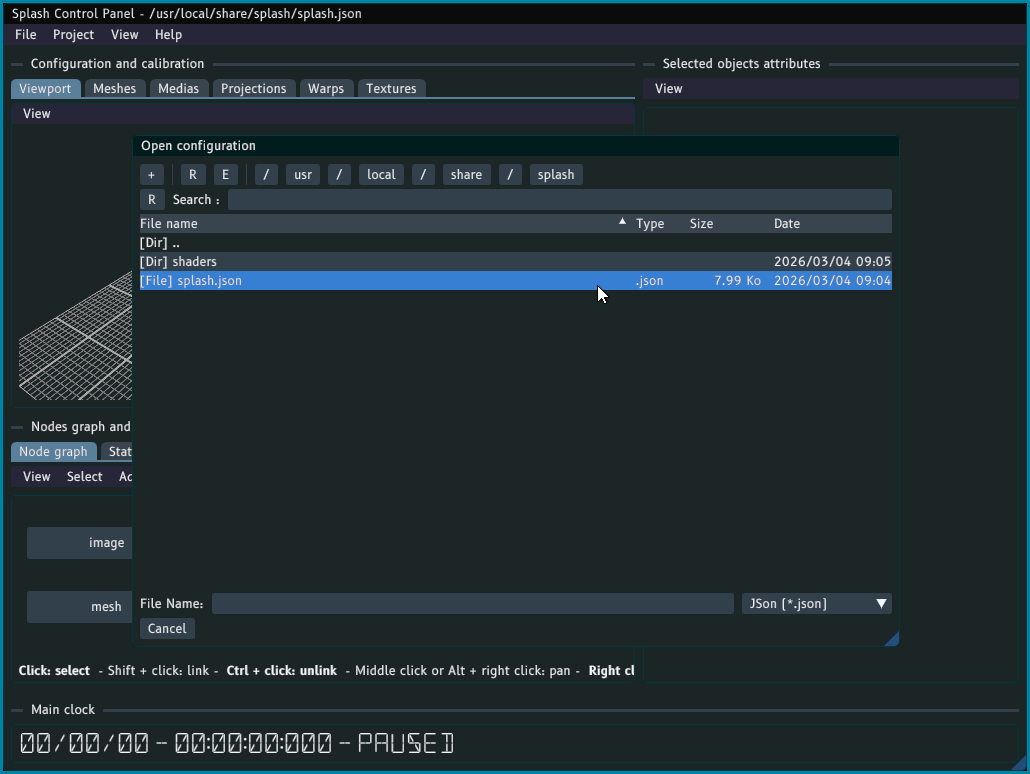
I also replaced altogether the old (and very limited) file selector. ImFileDialog is now used for a vastly improved user experience, I hope!
Lastly the default objects, which were shown in the node graph, are not displayed there anymore. Their configuration can be accessed by going to the Options tabulation: they will then be shown in the Selected objects attributes section of the UI. Hopefully this will also make things cleaner.
Tell me what you think about these changes! More is coming, and any input is valued 